In today’s times, the Aadhaar card is one of the most important identification documents for citizens of India. It is used for banking services, government schemes admissions to schools and colleges, and various other essential purposes, you know. Given all that, it is crucial that the photograph on the Aadhaar card is accurate and up to date. But often, because an Aadhaar card may have been issued during childhood, the photo becomes outdated, or the changes in one’s appearance over time makes the picture a bit hard to recognize.
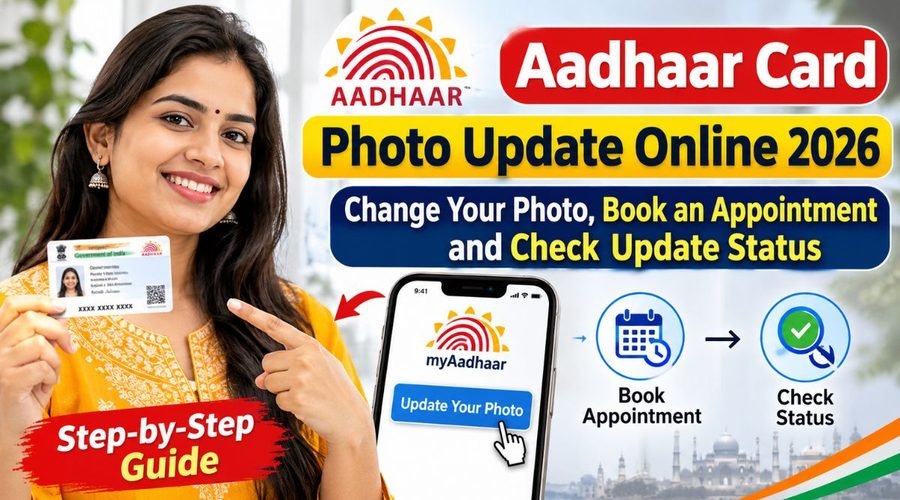
So naturally, many people are now searching for how to update the Aadhaar card photograph in 2026. The good news is that you can book an appointment online, visit your nearest Aadhaar Seva Kendra , (Aadhaar Service Center) to get the photograph refreshed, and after that you can track the status of the update.
What is the Aadhaar card photo update process for 2026?
The Aadhaar card photo update is some sort of a process, where the current photograph kept in the Aadhaar database gets swapped for a new one. If your Aadhaar photo is quite old, blurry, or just not matching your present look anymore, then you may do the update. In this, children as well as grown ups can use the facility, it’s not restricted. However, please keep in mind that there is no online self service option for changing the photograph in Aadhaar, instead the new picture has to be captured live by an operator at an Aadhaar Seva Kendra.
Can the Aadhaar card photograph be changed online?
A lot of people think, very wrongly, that they can just update their Aadhaar card photo by uploading a fresh image from mobile or computer right from home. But no, this is not really how it works. As per UIDAI rules, a photograph is treated as biometric information, so it is not something that gets changed through an online upload. Still, you can go to the official UIDAI website and search for the closest Aadhaar center, then book a time slot. After that, you simply have to visit the center on the scheduled date, where they will take your updated photograph.
How to book an online appointment for an Aadhaar card photo update?
If you want to change the photograph on your Aadhaar card you can just, sort of start by booking an appointment via the official UIDAI site . You should go to uidai.gov.in and then look for the option to book an appointment at an Aadhaar Seva Kendra, (Aadhaar Service Centre). After that select your city , and pick the closest Aadhaar Seva Kendra which is, nearby to you. Then choose a slot like an available date and time , fill in the details they ask for , and finish the booking. After the appointment is done, keep the receipt or the confirmation message safely , because it helps you when you reach the centre and everything goes a bit smoother.
What documents are required to update the photograph?
Generally, a new proof of identity or address is not needed just because you are changing the photograph on an Aadhaar card. This kind of change is considered a biometric update, so you know, it’s mostly straightforward. Still, it’s a good idea to take your current Aadhaar card, or at least your Aadhaar number, while you go to the Aadhaar Seva Kendra.
Now, if you are trying to update other things too, like your name , date of birth or even your address along with the photo, then do carry the original documents that UIDAI accepts for those particular updates. After the documents are checked at the centre, the operator will go ahead and complete the update.
What is the fee for updating the photograph on an Aadhaar card?
A prescribed biometric update fee kind of applies when you change the photograph on an Aadhaar card, and yeah it can feel a little confusing. As per the UIDAI fee schedule, the charge for a standard biometric update is ₹125, though sometimes people mix it up with other services. Still, there are some exemptions, especially for children with mandatory biometric updates. Like, for kids who are 5 to 7 years old, the mandatory update is free of charge for their first update. Then for children aged 15 to 17 years, the mandatory update is also free for their first or second update, depending on what’s already been done earlier. Also, biometric updates for children between 7 and 15 are free of charge until September 30, 2027. Before you make any payment, make sure you check the latest fee schedule that’s displayed at the Aadhaar centre, because the details can change.
How to get the photograph updated at an Aadhaar Seva Kendra?
On the day you’ve got the appointment, go to your nearest Aadhaar Seva Kendra and tell the operator, that you want to update the photograph on your Aadhaar card. Then the operator will check your identity and, during the required biometric step, take a fresh picture of you using a live camera. While they are capturing your photo, just look straight into the camera and follow what the operator says, don’t get distracted. Once the photograph is done and saved, take a moment to look over your details properly and then submit the update request. After the full procedure, they will give you a receipt that includes an Update Request Number (URN). Please keep that number safe, because it matters later.
How to check the status of an Aadhaar photo update online?
After you submit your photo update request, you are able to see whats going on with it online, from the comfort of your home, basically. Just go ahead and open the official UIDAI website, then choose the option that says, ‘Check Aadhaar Update Status’. Next, type in the URN (it’s listed on your update receipt) or, if needed enter the relevant request details. After you fill in the required info , the current status for your application will show up on the screen. That result should tell you whether your update request is still under processing, has been approved or maybe rejected, for some reason or other. Make sure you only rely on the official UIDAI portal whenever you are checking your status.
How to download the new Aadhaar card after a photo update?
After UIDAI has, on a proper note, accepted your request to update your photo, you may download the latest e-Aadhaar online, sort of right away. Go to the myAadhaar portal, then tap the ‘Download Aadhaar’ choice. Sign in using your Aadhaar number, or any other credential that is available, and finish the checking steps with the OTP that gets sent to your registered mobile number. Once this is done, you should be able to download your updated e-Aadhaar. Also, take a quick look at the downloaded copy, to confirm the fresh picture shows up neatly, and not cropped or misplaced.
Points to keep in mind when updating your Aadhaar card photo
There are a few important points to keep in mind when you are updating the photo on your Aadhaar card. First of all, always book an appointment through the official UIDAI website, don’t involve unknown persons or “agents” , and also don’t share your personal information with anyone you don’t trust. You generally do not have to bring a separate external photograph or a re-edited picture, because the photo is captured right there on site at the Aadhaar center. After the update goes through, make sure you obtain a receipt and keep it safely, until the new photo is actually showing in your Aadhaar record. If the whole process takes longer than you expected, or if your request gets rejected, you can reach out for support via the UIDAI helpline at 1947.
Conclusion: Updating your Aadhaar photo in 2026 is now simple
If the photo on your Aadhaar card feels outdated, or it just doesn’t look like you anymore (in a 2026 kind of way) then updating it becomes a sensible, practical option. UIDAI also offers some facilities like online appointment booking plus status tracking so it’s easier for people to get the full idea of what to do, and schedule the visit in a calmer manner.
Please remember though, you have to visit an Aadhaar Seva Kendra (Aadhaar Service Center) if you want the new photo taken. So, go ahead and book an appointment at your convenience, carry the necessary details along with you, and keep the update receipt safe too. When you do all that, you can get the Aadhaar photo update done without much hassle at all.
FAQs
Q1. Can I change my Aadhaar card photo online in 2026?
A. No, you must visit an Aadhaar Seva Kendra to update your photo.
Q2. How can I book an appointment for an Aadhaar photo update?
A. Visit the official UIDAI website and book an appointment at your nearest Aadhaar Seva Kendra.
Q3. How can I check my Aadhaar photo update status?
A. Visit the UIDAI website and enter your Update Request Number (URN) to check the status.